How Liquid Glass Transforms iOS Design?

Liquid Glass

Apple has always treated design as more than decoration. From the earliest versions of iOS to the latest updates, the company has carefully shaped how users see, touch, and feel their devices. In recent years, one visual trend has quietly defined Apple’s modern interface style: Liquid Glass.

As technology continues to evolve across industries—from intelligent interfaces to AI-driven mobility like AI Smart Cars—design is becoming more immersive and responsive than ever before.

If you’ve noticed the translucent interface in Control Center, the frosted glass effect behind notifications, or the layered UI in system apps, you’ve already experienced it. Liquid Glass isn’t just about aesthetics — it represents a shift toward immersive design, fluid interaction, and user-centered design across the entire Apple ecosystem.

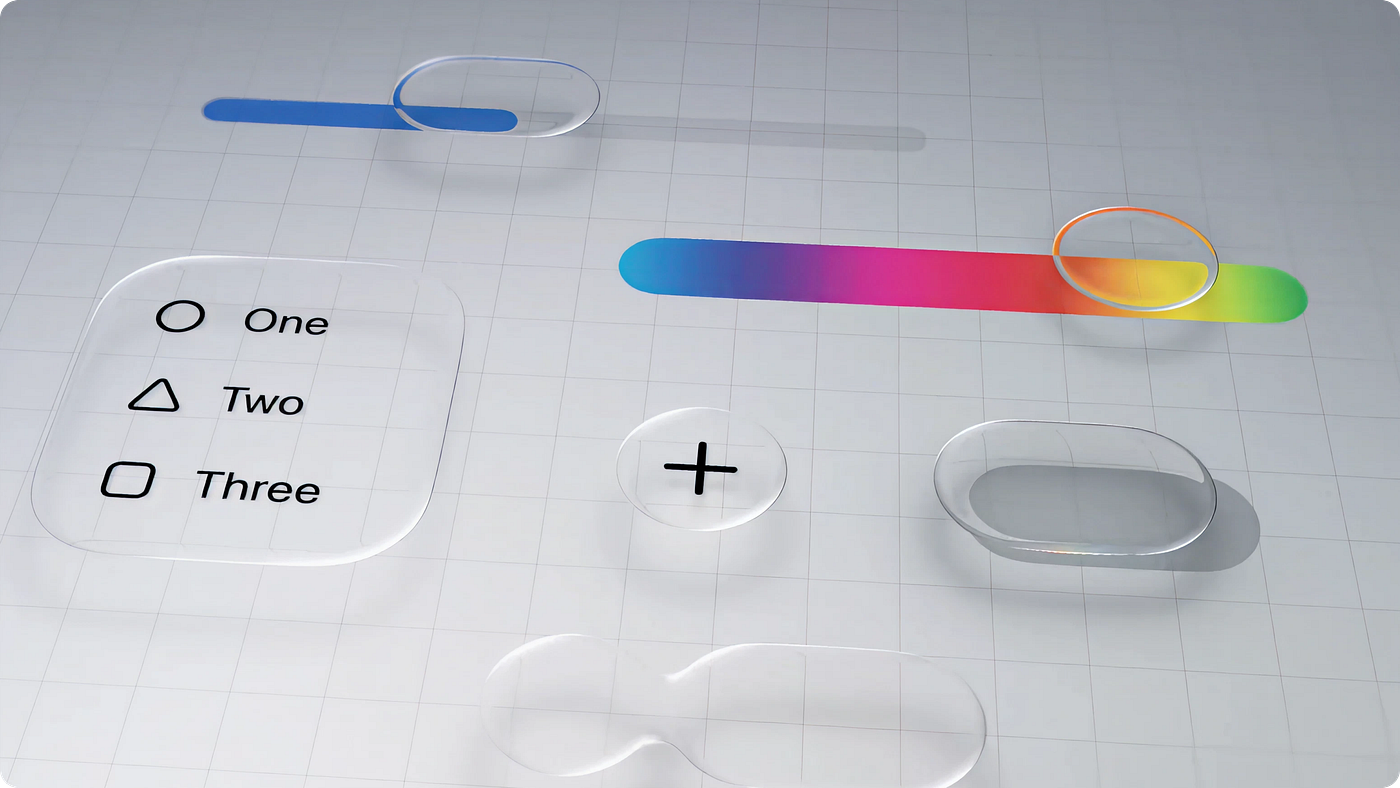
Liquid Glass refers to Apple’s use of translucent materials, blur effects, and subtle gradients to create depth and movement within the iPhone interface. It blends glassmorphism principles with Apple’s minimalist interface philosophy.

Instead of flat, static panels, Liquid Glass introduces:

  • Semi-transparent backgrounds
  • Layered UI with visual hierarchy
  • Real-time rendering blur effects
  • Fluid animations and motion design
  • Adaptive UI elements that respond to touch

The result is a fluid interface that feels modern, dynamic, and responsive. It mimics glass layered over content, creating the illusion of physical depth while keeping the experience clean and uncluttered.

The Evolution of Apple’s Design Language

To understand Liquid Glass, we need to look at Apple’s design evolution.

Early versions of iOS relied heavily on skeuomorphism — digital elements designed to look like real-world objects. Then came iOS 7 in 2013, which introduced flat design and removed heavy textures.

But flat design eventually felt too static.

Apple gradually reintroduced depth using transparency and blur effects. Features like Control Center, Notification Center, and the Lock Screen adopted system-wide transparency and system materials that allowed background content to subtly show through.

Today, Liquid Glass represents the refined version of that journey — combining minimalism with motion design in iOS.

Why Liquid Glass Matters in 2026

As mobile app design trends evolve, users expect more than functionality. They expect polish.

Liquid Glass improves the user experience in several important ways:

1. Fluid Animations and Transitions

Liquid Glass introduces fluid animations that make the transitions between screens feel seamless and organic. When users swipe between apps or open a new window, the smoothness of the transition creates an intuitive and responsive feel. Liquid Glass effects contribute to making app navigation smoother, with subtle delays and interactions that allow the user to feel like they’re moving through a physical space.

For example, Liquid Glass elements are often used to enhance the sliding, fading, and scaling of UI elements, making every interaction feel more like a tactile experience.

2. Translucent and Glossy UI Elements

Icons, buttons, and backgrounds with Liquid Glass effects give the user interface a sleek, modern, and sophisticated look. The translucency of elements such as buttons or the background behind a modal window allows the underlying content to subtly show through, offering a visually pleasing experience without overwhelming the user with too much content or distraction.

This type of design element can be seen throughout iOS, particularly in system-wide features like the Notification Center, Control Center, and lock screen, where Liquid Glass is used to create a frosted, glossy appearance that looks dynamic and high-end.

3. Depth and Layering in Design

The use of translucent and frosted glass effects provides depth to the interface. Instead of presenting a flat 2D environment, Liquid Glass enables a sense of three-dimensionality. The layering of blur effects and transparent panels over static backgrounds creates the illusion that the user is interacting with various layers of content. This depth is particularly noticeable in app animations and transitions, where elements appear to slide in and out of view, creating a dynamic experience.

4. Consistency Across Devices

One of the key aspects of Liquid Glass is that it offers a consistent and unified look across Apple’s diverse device range. Whether you’re using an iPhone, iPad, or Mac, the Liquid Glass effect works seamlessly across all devices. The fluidity of the design adapts well to different screen sizes and resolutions, providing a cohesive design experience on all Apple products.

Technical Implementation: How Developers Create Liquid Glass

 For developers, implementing Liquid Glass in iOS apps relies on powerful native frameworks.

UIKit Framework: UIKit provides tools like UIBlurEffect and UIVisualEffectView, which allow developers to create frosted glass effect backgrounds. These system materials automatically adapt to light mode, dark mode, and accessibility settings.

This ensures design consistency without manually adjusting for every scenario.

Core Animation: Core Animation powers the smooth motion design in iOS. Developers use it to:

  • Create fade transitions
  • Add scaling effects
  • Animate interface layering
  • Deliver responsive animations
  • The goal is to maintain performance while achieving fluid interface behavior.

SwiftUI and Declarative Design: SwiftUI simplifies creating Liquid Glass effects with built-in modifiers like blur and opacity.

Because SwiftUI uses declarative syntax, developers can define adaptive UI behavior more efficiently. This has made implementing modern app design trends significantly easier in recent iOS updates.

Impact on iOS User Experience (UX)

Liquid Glass directly improves iOS user experience in several measurable ways:

Increased Interactivity: Subtle animations give immediate touch feedback, making interactions feel natural.

Reduced Cognitive Load: Clear visual hierarchy helps users process information faster.

Premium Feel: The high-end interface look reinforces Apple’s brand identity and attention to detail.

Future-Ready Design: Liquid Glass integrates smoothly with AR experiences and spatial computing environments, preparing for next-generation interfaces.

The Future of Liquid Glass in iOS Design

Looking ahead, Liquid Glass is expected to evolve further as Apple continues refining its Human Interface Guidelines.

We may see:

  • More dynamic system materials
  • Advanced depth simulation
  • Expanded AR interface layering
  • Greater personalization through adaptive UI
  • As mobile devices move toward spatial interaction and immersive design, the principles behind Liquid Glass will likely become even more important.

Conclusion

Liquid Glass is more than a visual trend. It represents the evolution of iOS design language — merging transparency, depth, and motion into a seamless user experience.

For users, it creates an interface that feels alive.
For developers, it offers powerful tools to build immersive applications.
For those interested in upcoming hardware advancements, exploring iPhone 17 Specs gives further insight into how future devices may support even more advanced visual experiences.

As Apple continues pushing innovation forward, Liquid Glass will remain a defining element of modern app design.

Share 

Leave a Comment

Your email address will not be published. Required fields are marked *

Scroll to Top