
Microsoft is rolling out Windows 11 26H1 update build 201820.1362 in the Canary Channel, introducing several new features and improvements. While this update doesn’t drastically change the OS compared to version 25H2, it adds support for upcoming Qualcomm Snapdragon X2 and Nvidia N1X processors, along with UI enhancements, AI-powered tools, and gaming optimizations. Here’s a detailed look at what’s new.
Key Highlights Table
| Feature | Details |
| Build Version | 201820.1362 |
| Update Channel | Canary |
| Main Focus | Support for Snapdragon X2 & Nvidia N1X |
| New Features | Windows Spotlight, AI Agent, Gaming Mode |
| Expected Release | Early 2026 |
Top New Features in Windows 11 26H1
-
Windows Spotlight Enhancements
- Switch between desktop backgrounds by right-clicking and selecting Next Background.
- New Explore Background option opens a web page with details about the wallpaper.
-
Updated Settings App
- Game Pass Card branding updated on homepage.
- Nearby Sharing now includes a toggle to disable the drag tray feature.
- Virtual Workspaces Page added under Advanced settings for enabling Windows Sandbox and Hyper-V.
- Mobile Devices Settings are integrated into the main Settings app.
- Keyboard Settings now allow customization of Copilot key, Print Screen key, and character repeat rate.
- Accessibility adds cursor blink rate customization with preview.
Windows 11 Notepad Gets AI-Powered Update: Tables & Streaming AI Features for Insiders
-
Quick Machine Recovery Improvements
- Scans now run only once by default instead of looping.
- Option to restart automatically for periodic checks.
- Lists of all recovery options if immediate fixes aren’t available.
-
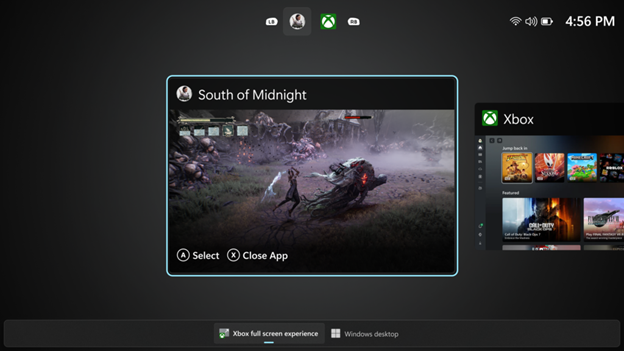
Xbox Full-Screen Gaming Experience
- Transforms Windows 11 into a controller-friendly interface.
- Frees up up to 2GB of system memory by suppressing unnecessary processes.
- Easily switch between desktop and gaming mode via Task View.
-
File Explorer & Dark Mode Updates
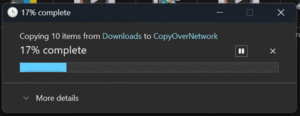
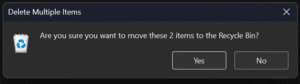
- More dialogs now support dark mode, including copy, move, delete, and error prompts.
- Inline menu on hover with options like Open File Location and Ask Copilot.
- Redesigned click-to-do actions menu for consistency with context menus.
-
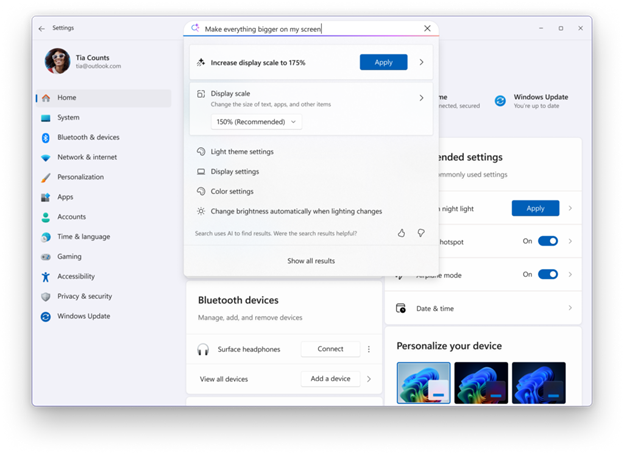
AI Agent in Settings (Copilot+)
- Search for settings using natural language (e.g., “My mouse pointer is too small”).
- AI suggests and applies changes directly from search results.
- Recommended settings card now shows inline AI actions.
-
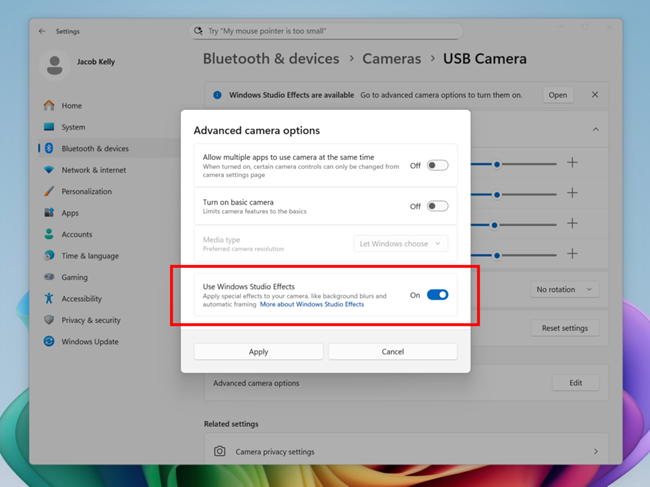
Windows Studio Effects Expansion
- Support extended to secondary cameras like USB webcams.
- Enable effects via Settings → Bluetooth & Devices → Cameras → Advanced Options.
Other Improvements
- Updated search box description in File Explorer for AI-powered search.
- Enhanced context menus for large images and tables.
- Additional bug fixes for App Library lag and CarPlay stability.
Why This Update Matters
The Windows 11 26H1 update focuses on performance optimization, AI integration, and gaming enhancements, making it ideal for next-gen hardware and productivity workflows.
FAQs
Q1: What is Windows 11 26H1 update?
It’s a feature update adding support for new chips and UI improvements.
Q2: Does this update include AI features?
Yes, the AI Agent in Settings and Copilot enhancements are included.
Q3: When will Windows 11 26H1 release publicly?
Expected in early 2026 after Canary testing.
