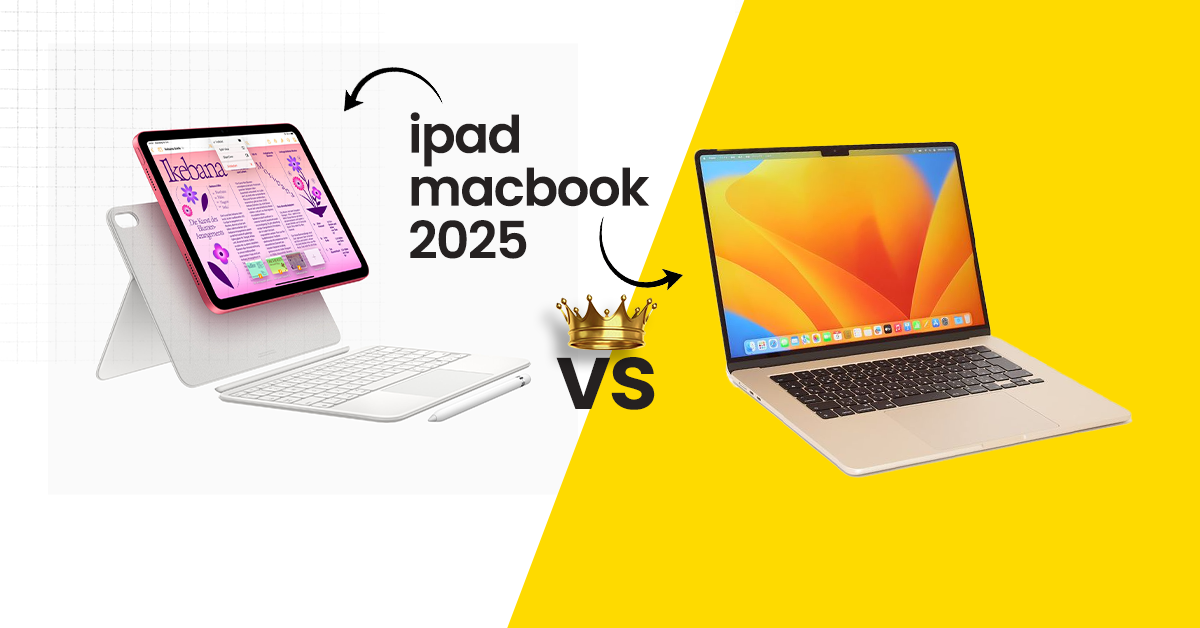
Apple continues to refine its powerful lineup of devices, and in 2025 the debate between iPad vs MacBook 2025 is stronger than ever. Apple has introduced new hardware powered by the advanced M3 chip along with major improvements to both iPadOS and macOS. Because of these upgrades, many users now wonder whether they should buy a tablet like the iPad or a traditional laptop such as the MacBook.
Both devices belong to the same Apple ecosystem and share several technologies including powerful processors, high quality displays, and excellent battery life. However their real purpose is quite different. The iPad focuses on portability and touch based creativity, while the MacBook offers a full desktop computing experience designed for productivity and professional workflows.
If you are also comparing premium laptops from other brands, it is worth exploring the MacBook vs MateBook X Fold comparison to understand how Apple devices compete with modern foldable laptops in terms of performance and design.
Whether you are a student, professional, content creator, or casual user, understanding the differences between these devices will help you make the right decision. This guide explains the strengths, limitations, and real world use cases of each device so you can confidently decide which Apple product fits your needs in 2025.
Table of Contents
ToggleUnderstanding the Core Differences – iPad vs MacBook 2025
When comparing iPad vs MacBook 2025 it is important to understand that these devices are designed for different types of users. While both share Apple hardware and design philosophy, their software environments and interaction styles make them unique.
The iPad acts as a flexible touchscreen tablet that can transform into a lightweight productivity device with accessories such as the Magic Keyboard and Apple Pencil. The MacBook on the other hand is built as a full laptop with a physical keyboard, trackpad, and complete desktop operating system.
These differences influence how people use the devices in daily life.
Design & Portability
iPad 2025: The latest iPad models continue Apple focus on portability and minimal design. The iPad Pro models now feature stunning OLED displays that deliver deep contrast and vibrant colors. They are extremely lightweight which makes them easy to carry anywhere.
When paired with the Magic Keyboard and Apple Pencil 3 the iPad becomes a versatile device capable of handling note taking, drawing, document editing, and entertainment.
MacBook 2025: The MacBook Air and MacBook Pro models remain incredibly thin and durable laptops. Despite their powerful hardware they maintain excellent portability. The aluminum body provides a premium feel while the large trackpad and keyboard create a comfortable typing experience.
Verdict: For pure portability and touchscreen flexibility the iPad is hard to beat. However for l
Performance in 2025: M3 Chips Power Both
Performance is one of the biggest factors when choosing between an iPad and a MacBook. Apple’s M-series chips now power both devices, delivering impressive speed and efficiency.
The M3 chip has improved graphics performance, AI capabilities, and energy efficiency compared to previous generations.
Both the latest iPad Pro (2025) and MacBook Air/Pro are powered by Apple’s M3 chips. However, how this performance is leveraged differs greatly.
iPad Pro 2025
The iPad Pro with the M3 chip is extremely powerful for a tablet. It can easily handle creative applications and multitasking.
Common tasks that run smoothly on the iPad include:
Photo editing
Digital illustration
Light video editing
Office productivity apps
Thanks to Stage Manager and improved multitasking features in iPadOS, using multiple apps at once has also become easier.
MacBook Air/Pro 2025:
MacBooks take full advantage of the M-series chips because they run a desktop operating system. This allows them to support professional software and heavy workloads.
MacBook users can run demanding applications such as:
Final Cut Pro
Adobe Premiere Pro
Logic Pro
Xcode development tools
Because of this software flexibility, the MacBook is still the better choice for professionals.
iPadOS 18 vs macOS Sequoia
macOS Sequoia:
macOS provides a full desktop environment.
Important features include:
• Advanced file management
• Powerful multitasking
• Terminal access for developers
• Professional software compatibility
It is ideal for:
• Coding
• Content creation
• Video editing
• Business productivity
iPadOS 18:
iPadOS focuses on touch based usability.
Key improvements include:
- Better multitasking tools
- External display support
- Enhanced Apple Pencil integration
However, some desktop level features are still missing compared to macOS.
Battery Life Comparison
Battery performance is one area where Apple devices consistently perform well. Both the iPad and MacBook offer long battery life that can last through an entire workday.
The iPad Pro typically provides around 12 hours of mixed usage, which includes browsing, media consumption, and productivity tasks.
MacBook models offer even longer battery life depending on the model:
MacBook Air M3 can last up to 15 hours of web browsing
MacBook Pro can reach around 20 hours in optimized conditions
For users who travel frequently or work long hours, battery life can be an important factor when choosing between the two devices.
Software Ecosystem and Use Cases
Both devices integrate smoothly with Apple ecosystem tools such as:
• AirDrop
• iCloud
• Universal Clipboard
• Handoff
These features make switching between Apple devices very easy.
Who Should Choose iPad in 2025?
The iPad is ideal for:
• Students taking digital notes
• Digital artists using Apple Pencil
• Casual users browsing the web
• People who travel frequently
Who Should Go for MacBook in 2025?
- MacBook works better for:
- Developers using coding tools
- Writers and researchers
- Video editors
- Business professionals
Keyboard and Input Methods
The iPad combined with the Magic Keyboard provides a laptop like typing experience but the accessory significantly increases the total cost. Although it is comfortable it still does not fully match the ergonomic design of a MacBook keyboard.
MacBook devices come with the Magic Keyboard built in. Apple has refined the typing experience over the years and many users consider it one of the most comfortable laptop keyboards available.
For heavy typing tasks such as writing reports or programming the MacBook clearly provides a better experience.
If you are using an iPhone alongside these devices and notice heating problems during charging, you can follow simple steps to fix iPhone 15 overheating issues and improve your overall Apple ecosystem experience.
The input method is another key difference between these two devices.
The iPad supports accessories like the Magic Keyboard and Apple Pencil, which transform the tablet into a more versatile device. This makes it especially useful for note-taking, drawing, and light productivity tasks.
However, the MacBook still provides the best typing experience. Its built-in keyboard and large trackpad make it easier to write documents, manage files, and multitask efficiently.
For users who spend hours typing or coding, the MacBook remains the better option.
Pricing in 2025: What Do You Get for Your Money?
Model
Starting Price (UK)
Who It’s For
iPad 10th Gen
£499
Light users
iPad Air M2
£699
Students, basic professionals
iPad Pro M3
£999
Creators, digital artists
MacBook Air M3
£1099
Students, general productivity
MacBook Pro M3
£1499
Professionals, developers
Don’t forget: iPad vs MacBook 2025 also means adding costs for accessories like the Magic Keyboard and Apple Pencil, pushing the iPad Pro setup beyond £1300.
Pricing in 2025: What Do You Get for Your Money?
Model
Starting Price (UK)
Who It’s For
iPad 10th Gen
£499
Light users
iPad Air M2
£699
Students, basic professionals
iPad Pro M3
£999
Creators, digital artists
MacBook Air M3
£1099
Students, general productivity
MacBook Pro M3
£1499
Professionals, developers
Don’t forget: iPad vs MacBook 2025 also means adding costs for accessories like the Magic Keyboard and Apple Pencil, pushing the iPad Pro setup beyond £1300.
Camera & Media Handling: Who Does It Better?
The iPad Pro offers strong camera capabilities.
Key features include:
• Rear camera with LiDAR
• Center Stage video calls
• AR scanning capabilities
MacBooks focus more on communication tools:
• High quality microphones
• Strong speakers
• Reliable webcam performance
Storage Options and Flexibility
iPad Pro storage options:
• Up to 2 TB storage
• Limited file system control
MacBook storage options:
• Up to 4 TB storage
• Full file management support
• External drive compatibility
MacBook provides better flexibility for large projects.
Connectivity: Ports & Peripherals
iPad Pro includes:
• One USB C Thunderbolt port
MacBook Pro includes:
• Multiple Thunderbolt ports
• HDMI port
• SD card reader
• MagSafe charging
For professionals using cameras and external devices, MacBook offers more connectivity options.
Apple Pencil 3 vs Trackpad – What’s Better?
Apple Pencil advantages:
• Pressure sensitivity
• Hover detection
• Natural drawing experience
MacBook trackpad advantages:
• Precise navigation
• Gesture support
• Smooth productivity workflow
Your choice depends on whether you focus on creative work or productivity tasks.
Longevity & Resale Value
Apple products hold value well in resale markets.
However, MacBooks usually maintain higher resale value because:
• They support professional software
• They receive longer software support
• Demand is higher in second hand markets
Which One Should You Buy in 2025?
Choosing between the iPad and MacBook depends largely on how you plan to use the device in your daily routine.
The iPad is an excellent choice for users who value portability and touchscreen interaction. It works well for students, digital artists, and people who prefer a flexible device for casual productivity.
The MacBook, on the other hand, is better suited for professional work. Its desktop operating system, physical keyboard, and advanced software support make it ideal for tasks such as coding, content creation, and business productivity.
Before making your decision, consider factors such as:
Your daily workflow
Software requirements
Portability needs
Budget
Understanding these factors will help you choose the device that fits your needs in 2025.
Future-Proofing Your Apple Device in 2025
As Apple devices receive regular updates, ask yourself these questions before purchasing:
- Will I need full desktop features in 2 years?
- Can my work be done on a tablet interface?
- Is portability more important than performance?
By framing the iPad vs MacBook 2025 decision through these lenses, you’ll find the right tool to future-proof your workflow.
Conclusion
The comparison between iPad vs MacBook 2025 ultimately depends on your lifestyle and workflow. The iPad shines in mobility and creative tasks while the MacBook delivers unmatched productivity and professional computing power.
Both devices are excellent choices and integrate seamlessly with the Apple ecosystem. Staying informed about updates such as the iOS 26.2 release candidate features can also help you understand how Apple continues improving performance, security, and overall device functionality.
By understanding the strengths of each platform you can confidently choose the device that fits your needs in 2025.
KYY Laptop Screen Extender 15.6 Review: Is It Worth It?
What is a Reasoning Model? AI Explained for 2026
Windows 11 26H1 Update: New Features & Changes Explained

Taylor Swift Documentary on Disney+
Huawei Pura 90 Series: Specs, Features, Price & Launch Details in 2026
OpenAI O3 Models in 2026: Advanced AI for Reasoning, Coding & Enterprise Solutions
Share